Pozdrav. Imam problem. Imam legalnu licencu, kliknem na ikonicu programa, i samo se pojavi proces u task manageru. Program se uopšte ne podigne.
DVBViewer ... (i sve u vezi njega)
Zakačeno
Uninstal viewer očisti registre kako je pisano u tutorialima zatim instal nov i u podizanju ako pita daj mu exclusive u antivirusu ili zaštitnom zidu.
Potpis
Deinstalirao sam Viewer,i u hkey/local_machine/software obrisao CM&V stavku. No, opet ništa. A taj tutorial.... Na prvoj strani imaju neki linkovi za svašta nešto. Ima neki link za dvb viewer uputstvo, koji me je odveo na neki post sa kodom za neki engleski sajt.
Evo ti uputstvo i tutoriali koje sam pisao i za druge oblasti - druga sekcija je o DVBViewer-u
SkyStar2+SkyStar HD2+DVBViever uputstva
SkyStar2+SkyStar HD2+DVBViever uputstva
Potpis
Hvala ti. U pitanju je video, a ja ne vidim... Probaću naći negdje tekstualno uputstvo na engleskom.
» Description: DVBViewer Pro
» Version: 5.4.1
» Size: 7227 KBytes
» Last Updated: 29.05.15
DVBViever Pro 5.4.1 beta
In Memoriam - Lars Gehre
Fix (konačno): Isključivanje / Log-off: DVBViever nepotrebno je odbio da bude zatvoren na W indovs gašenja / log-off, tako ostavljajući Prozori prikazati "sledeći programi su još uvek koriste" ekran ponudu da prisili ili otkaže akciju. Forsiranje je to izazvalo gubitak podataka koji nisu snimljeni u DVBViever. Sada DVBViever samo odbija da bude zatvoren ako se snima, ako snimanje treba izvršiti DVBViever je zbog u narednih minuta (videti Opcije → gašenja) ili servis Snimanje se izvršava instant snimanje. Razlog je prikazan u Vindovs UI. Prisiljavanje Shutdovn / log-off više ne prouzrokuje gubitak podataka.
Promena: Opšte: DVBViever ne sprečava mirovanja tajmaut Vindovs više ako (i samo ako) ne reprodukcije i nema snimanje se dešava odn. je zbog u narednih minuta (videti Opcije → Isključivanje → Nemojte isključivati ako snimanje je zbog okviru ...). U stanju mirovanja Timeout je vreme bez interakcije korisnika (konfigurisan u opcijama energije Vindovs), nakon čega Vindovs automatski aktivira sleep mode / hibernacije.
Dodato: Reprodukcija: Polje za potvrdu Opcije → Opšte → Nastavi reprodukciju nakon režima mirovanja / hibernacije. Ova opcija se odnosi na TV / Radio i reprodukciju datoteka. Imajte na umu da reprodukcija ne nastavi dok zaključavanje ekrana prisutan.
Dodato: Shutdovn Options: "Nemojte isključivati ako snimanje je zbog okviru ..." postavljanje sada važi i ako zatvaranje DVBViever ili gašenja računara dole aktivira izvan ekranu. Ako snimak izvršava DVBViever (!) Je zbog unutar podešenih minuta DVBViever će tražiti potvrdu o zatvaranju, sprečiti Shutdovn / log-off, idle timeout (vidi gore) i pustite da Vindovs zamenite sleep mod daleko modu (ako je podstaknuto korisnik ili druge aplikacije).
Uklonjen0: Planirovsik: podrška za zastarele DVB-Planirovsik alat je uklonjen. Ako želite da PC probuditi automatski za snimanje koristite Uslugu snimanja ili podesite raspored zadatak na Opcije → Recorder → Recordings.
Fix: Recorder: Snimci nisu zaustavili na pravi način hibernacije.
Promena: Rekorder: Instant snimci izvršene od strane Službe za snimanje su sada zaustavljeni u svakom slučaju (i dosledno sa opcijama OSD → Sistem) nakon potvrde kada DVBViever je zatvoren. Ranije dijalog ponudio da nastavi snimanje nezavisno od pokrenut DVBViever primer kao tajmer snimanja sa podrazumevani trajanju od 24 sata. Imajte na umu da je rukovanje samo do Službi za snimanje ako režim spavanja / hibernacije se pokreće van DVBViever.
Fix: Rekorder: Instant snimci izvršene od strane Službe za snimanje nisu nepotrebno zaustavljen više prilikom podnošenja zahteva promene u opcijama hardvera.
Fik: Rekorder: crveni indikator rekord u dugmetu traci zadataka nije ažurirani ako se ovdje stanje nije bilo vidljivo ili DVBViever je svedena na minimum.
Dodato: Opšte: DVBViever je sada u suštini može da prilagodi svoje prozore i sadržavao tekst postavke veličine teksta na kontrolnoj tabli → Izgled i personalizacija → Displai sekcije. Dodatno Vindovs je obavešten o ovoj mogućnosti, tako da DVBViever nije popeo grafički više u slučaju 150% veličine teksta i više, što je izazvalo mutnu UI ekran i lošu video kvalitet posebno u režimu celog ekrana.
Dodato: Opšte: Resizer.eke je novi alat za prilagođavanje DVBViever font i prozor / Tekt Size nezavisno od podešavanja control panel (vidi gore). Promene se može primeniti samo dok DVBViever je zatvorena. Imajte na umu da veličina nekih stavki, kao što naslov prozora barovima ili standardne kutije poruka nije pod kontrolom aplikacija i može 't biti pod uticajem Resizer Tool. Fonta i veličina meni utiče samo podešavanjima resizer ako je izabrana DVBViever Menu Stile na Opcije → General.
Fix: General: "Sakrij nagoveštaje u gornjem području prozora" Tveak nije stupiti na snagu u nekim prozorima sa vrhunskim području nagoveštaja (vidi Tveaker.eke).
Dodato: Input Options: Neke oznake u Akcionom Editor dodaje da bi ga više razumljivo.
Promena / Fik: Hardvare: Administracija uređaj je potpuno preradio, izbegavajući razna pitanja kao što je korišćenje dva tunera za isti transpondera, nepotrebno prebacivanje slika u slici off i još neke.
Dodato: Hardver: Podrška za dodatne uređaje enkoder sličnim Hauppauge PVR, uključujući Hauppauge Colossus / Siena, Viks Pure TV, ITE IT9910 Tech HD Grabber, AVerMedia HD, Tevii ,. Rokio). Opšte rukovanje je poboljšan. Dijalog podešavanja za enkoder uređaja na Opcije → Hardvare zamenjuje bivši urednik Tool. Pročitajte više o tome ovde.
Dodato: Hardver opcije: "Reset posle spavanja / hibernate" potvrdu i "Reset DVB uređaj pre snimanja" Tveak (za više informacija pogledajte Tveaker.eke). Odnosi se na DVB uređajima sa BDA driver i technisat kartica sa vozačem VDM / mreže. Ova opcija treba da se koristi samo za uređaje koji ne rade ispravno posle sna / hibernacije.
Fix: madVR: Mere protiv madVR pokušavaju da zatvore prerano kada DVBViever je zatvoren, stvara probleme ako DVBViever zatraži potvrdu u slučaju tekućih snimaka.
Fix: madVR: Prebacivanje TV kanala sa različitom video tipa (npr H.264 ↔ MPEG2) izazvao kursor miša da stalno pojavljuju u režimu celog ekrana.
Fix: OSD / Custom EVR: Prikaz dinamičkih pozadinske slike nije više raditi.
Fix: OSD / Custom EVR: OSD je prikazan premala ako GPU podržava samo moć dve dimenzije tekstura.
Fix: OSD / Mosaic: The Return ključnu odn. OSD redu akcija nije prebacili na izabranom mozaika TV kanal.
Fix: OSD: Nekoliko stranice podrazumevani OSD (envi) kože su prerađena (videoinfo.kml, dialogok.kml, dialogiesno.kml, miUPNP.kml).
Fix: Glavni Prozor: Access violation ako video / audio / B je toggled u reprodukciju isključen.
Fix: Timer Recordings Vindov: Pristup povrede na određenim prilikama.
Fix: Opcije: Mere protiv dodataka koje uzrokuju probleme po bespotrebno aktiviranjem dugme Appli prilikom dodavanja opciju stranice.
Fix: Shader: Podešavanja → Shaderi → Poslednja shader stavka nije prebacivanje između prošlog i shader none.
Fixi: Vreme: Veather data je dobio pogrešne dana (jedan dan pomeren za budućnost).
Dodato: Logging (već dostupni u 5.4.0): Ako prevođenje sadržaj prozora ne u debug mode, DVBViever piše odeljak jezika fajl koji nedostaje i njegov engleski podrazumevani sadržaj u datoteci "Missing_ [Language] .LOG" koja se nalazi u jeziku pod -directori foldera sa konfiguracijom. [Jezik] je naziv trenutno koristi language file.
Updated: DVBViever filtera na verziju 3.9.3. Stranica imovina se prilagođava podešavanja veličine teksta na kontrolnoj tabli → Izgled i personalizacija → Displai sekcije.
Updated: VODSource filtera na verziju 2.2.3: Potencijalni DVBViever nesreći na potoku abortusa i manjih grešaka u JSON parser fiksne.
» Version: 5.4.1
» Size: 7227 KBytes
» Last Updated: 29.05.15
DVBViever Pro 5.4.1 beta
In Memoriam - Lars Gehre
Fix (konačno): Isključivanje / Log-off: DVBViever nepotrebno je odbio da bude zatvoren na W indovs gašenja / log-off, tako ostavljajući Prozori prikazati "sledeći programi su još uvek koriste" ekran ponudu da prisili ili otkaže akciju. Forsiranje je to izazvalo gubitak podataka koji nisu snimljeni u DVBViever. Sada DVBViever samo odbija da bude zatvoren ako se snima, ako snimanje treba izvršiti DVBViever je zbog u narednih minuta (videti Opcije → gašenja) ili servis Snimanje se izvršava instant snimanje. Razlog je prikazan u Vindovs UI. Prisiljavanje Shutdovn / log-off više ne prouzrokuje gubitak podataka.
Promena: Opšte: DVBViever ne sprečava mirovanja tajmaut Vindovs više ako (i samo ako) ne reprodukcije i nema snimanje se dešava odn. je zbog u narednih minuta (videti Opcije → Isključivanje → Nemojte isključivati ako snimanje je zbog okviru ...). U stanju mirovanja Timeout je vreme bez interakcije korisnika (konfigurisan u opcijama energije Vindovs), nakon čega Vindovs automatski aktivira sleep mode / hibernacije.
Dodato: Reprodukcija: Polje za potvrdu Opcije → Opšte → Nastavi reprodukciju nakon režima mirovanja / hibernacije. Ova opcija se odnosi na TV / Radio i reprodukciju datoteka. Imajte na umu da reprodukcija ne nastavi dok zaključavanje ekrana prisutan.
Dodato: Shutdovn Options: "Nemojte isključivati ako snimanje je zbog okviru ..." postavljanje sada važi i ako zatvaranje DVBViever ili gašenja računara dole aktivira izvan ekranu. Ako snimak izvršava DVBViever (!) Je zbog unutar podešenih minuta DVBViever će tražiti potvrdu o zatvaranju, sprečiti Shutdovn / log-off, idle timeout (vidi gore) i pustite da Vindovs zamenite sleep mod daleko modu (ako je podstaknuto korisnik ili druge aplikacije).
Uklonjen0: Planirovsik: podrška za zastarele DVB-Planirovsik alat je uklonjen. Ako želite da PC probuditi automatski za snimanje koristite Uslugu snimanja ili podesite raspored zadatak na Opcije → Recorder → Recordings.
Fix: Recorder: Snimci nisu zaustavili na pravi način hibernacije.
Promena: Rekorder: Instant snimci izvršene od strane Službe za snimanje su sada zaustavljeni u svakom slučaju (i dosledno sa opcijama OSD → Sistem) nakon potvrde kada DVBViever je zatvoren. Ranije dijalog ponudio da nastavi snimanje nezavisno od pokrenut DVBViever primer kao tajmer snimanja sa podrazumevani trajanju od 24 sata. Imajte na umu da je rukovanje samo do Službi za snimanje ako režim spavanja / hibernacije se pokreće van DVBViever.
Fix: Rekorder: Instant snimci izvršene od strane Službe za snimanje nisu nepotrebno zaustavljen više prilikom podnošenja zahteva promene u opcijama hardvera.
Fik: Rekorder: crveni indikator rekord u dugmetu traci zadataka nije ažurirani ako se ovdje stanje nije bilo vidljivo ili DVBViever je svedena na minimum.
Dodato: Opšte: DVBViever je sada u suštini može da prilagodi svoje prozore i sadržavao tekst postavke veličine teksta na kontrolnoj tabli → Izgled i personalizacija → Displai sekcije. Dodatno Vindovs je obavešten o ovoj mogućnosti, tako da DVBViever nije popeo grafički više u slučaju 150% veličine teksta i više, što je izazvalo mutnu UI ekran i lošu video kvalitet posebno u režimu celog ekrana.
Dodato: Opšte: Resizer.eke je novi alat za prilagođavanje DVBViever font i prozor / Tekt Size nezavisno od podešavanja control panel (vidi gore). Promene se može primeniti samo dok DVBViever je zatvorena. Imajte na umu da veličina nekih stavki, kao što naslov prozora barovima ili standardne kutije poruka nije pod kontrolom aplikacija i može 't biti pod uticajem Resizer Tool. Fonta i veličina meni utiče samo podešavanjima resizer ako je izabrana DVBViever Menu Stile na Opcije → General.
Fix: General: "Sakrij nagoveštaje u gornjem području prozora" Tveak nije stupiti na snagu u nekim prozorima sa vrhunskim području nagoveštaja (vidi Tveaker.eke).
Dodato: Input Options: Neke oznake u Akcionom Editor dodaje da bi ga više razumljivo.
Promena / Fik: Hardvare: Administracija uređaj je potpuno preradio, izbegavajući razna pitanja kao što je korišćenje dva tunera za isti transpondera, nepotrebno prebacivanje slika u slici off i još neke.
Dodato: Hardver: Podrška za dodatne uređaje enkoder sličnim Hauppauge PVR, uključujući Hauppauge Colossus / Siena, Viks Pure TV, ITE IT9910 Tech HD Grabber, AVerMedia HD, Tevii ,. Rokio). Opšte rukovanje je poboljšan. Dijalog podešavanja za enkoder uređaja na Opcije → Hardvare zamenjuje bivši urednik Tool. Pročitajte više o tome ovde.
Dodato: Hardver opcije: "Reset posle spavanja / hibernate" potvrdu i "Reset DVB uređaj pre snimanja" Tveak (za više informacija pogledajte Tveaker.eke). Odnosi se na DVB uređajima sa BDA driver i technisat kartica sa vozačem VDM / mreže. Ova opcija treba da se koristi samo za uređaje koji ne rade ispravno posle sna / hibernacije.
Fix: madVR: Mere protiv madVR pokušavaju da zatvore prerano kada DVBViever je zatvoren, stvara probleme ako DVBViever zatraži potvrdu u slučaju tekućih snimaka.
Fix: madVR: Prebacivanje TV kanala sa različitom video tipa (npr H.264 ↔ MPEG2) izazvao kursor miša da stalno pojavljuju u režimu celog ekrana.
Fix: OSD / Custom EVR: Prikaz dinamičkih pozadinske slike nije više raditi.
Fix: OSD / Custom EVR: OSD je prikazan premala ako GPU podržava samo moć dve dimenzije tekstura.
Fix: OSD / Mosaic: The Return ključnu odn. OSD redu akcija nije prebacili na izabranom mozaika TV kanal.
Fix: OSD: Nekoliko stranice podrazumevani OSD (envi) kože su prerađena (videoinfo.kml, dialogok.kml, dialogiesno.kml, miUPNP.kml).
Fix: Glavni Prozor: Access violation ako video / audio / B je toggled u reprodukciju isključen.
Fix: Timer Recordings Vindov: Pristup povrede na određenim prilikama.
Fix: Opcije: Mere protiv dodataka koje uzrokuju probleme po bespotrebno aktiviranjem dugme Appli prilikom dodavanja opciju stranice.
Fix: Shader: Podešavanja → Shaderi → Poslednja shader stavka nije prebacivanje između prošlog i shader none.
Fixi: Vreme: Veather data je dobio pogrešne dana (jedan dan pomeren za budućnost).
Dodato: Logging (već dostupni u 5.4.0): Ako prevođenje sadržaj prozora ne u debug mode, DVBViever piše odeljak jezika fajl koji nedostaje i njegov engleski podrazumevani sadržaj u datoteci "Missing_ [Language] .LOG" koja se nalazi u jeziku pod -directori foldera sa konfiguracijom. [Jezik] je naziv trenutno koristi language file.
Updated: DVBViever filtera na verziju 3.9.3. Stranica imovina se prilagođava podešavanja veličine teksta na kontrolnoj tabli → Izgled i personalizacija → Displai sekcije.
Updated: VODSource filtera na verziju 2.2.3: Potencijalni DVBViever nesreći na potoku abortusa i manjih grešaka u JSON parser fiksne.
Potpis
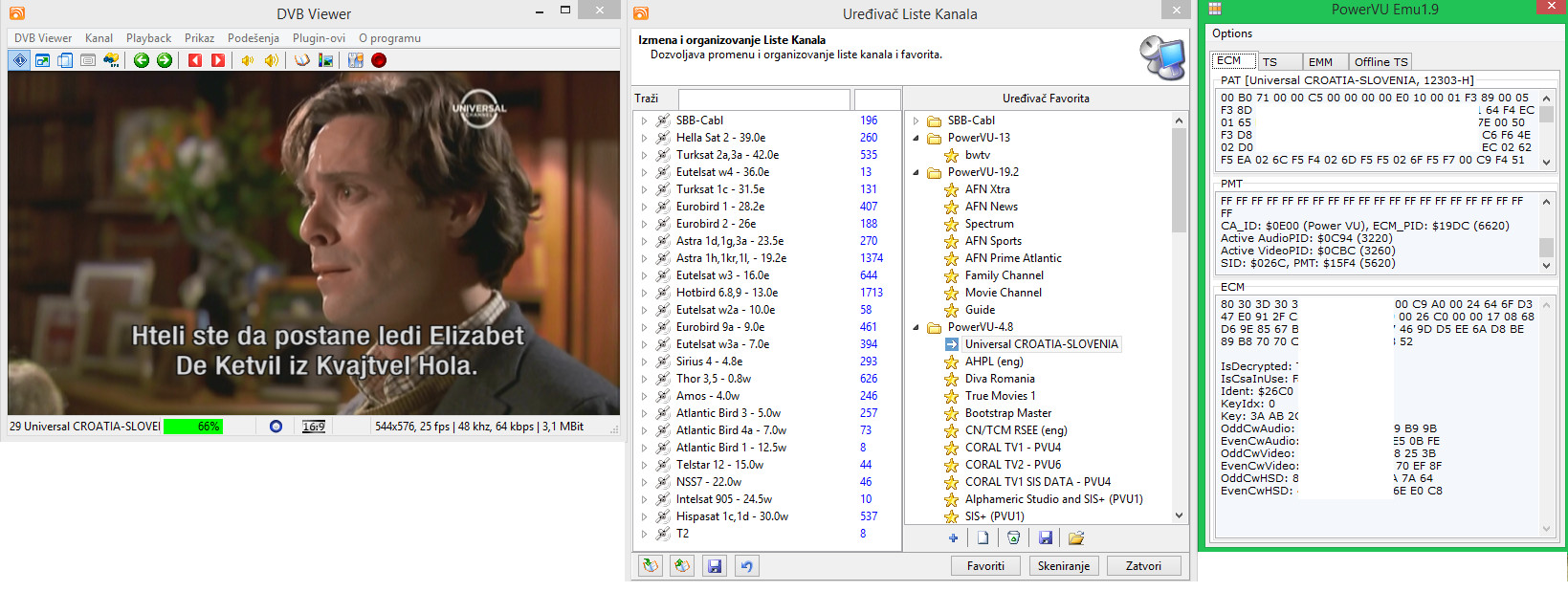
Imam veliki problem sa 5.5.0.0 verzijom. (narodnom)
Nece da se sacuva lista kanala u programu.
Ni kad kopiram chanels.dat ni kad uvezem preko .ini fajlove.
Cim ugasim i upalim Viewer,liste nestanu.
Pokusao sam nekoliko puta da reinstaliram program,sve lepo,cisto,ociscena registri baza,obrisani svi folderi.
Naravno,posle instalacije programa menjao sam usermode u 0 ali nista se nije promenilo.
Nece da se sacuva lista kanala u programu.
Ni kad kopiram chanels.dat ni kad uvezem preko .ini fajlove.
Cim ugasim i upalim Viewer,liste nestanu.
Pokusao sam nekoliko puta da reinstaliram program,sve lepo,cisto,ociscena registri baza,obrisani svi folderi.
Naravno,posle instalacije programa menjao sam usermode u 0 ali nista se nije promenilo.
Imao sam isti slucaj. Nece da se ugasi kako treba, tj. ugasi se kao da ga ubijes u task manageru i zato ne pamti postavke. Vratio sam se na matoriju 4.5 i sve radi kao podmazano.
Verovatno ima veze sa lekom...E da, nije mi ni rec. radio na toj verziji...
Sve novije od 4.5 su mi bagovale...Jbg i ja koristim narodsku verziju...
Ako ti se bas svidja ta verzija, okaci ovde .ini i .dat pa da ti uvezemo i doturimo .dat fajl. Kopraj ga u cumv folder i mora da radi.
E da, pokusaj da pomenis u directx podesavanju renderer na deafault i kodek stavi ffdshow i vidi da li ce da pamti postavke kad se ugasi. Moguce da pri gasenju jednostavno `pukne` i jednostavno se samo ubije u procesu i iz tog razloga ne stigne da odradi save...
Verovatno ima veze sa lekom...E da, nije mi ni rec. radio na toj verziji...
Sve novije od 4.5 su mi bagovale...Jbg i ja koristim narodsku verziju...
Ako ti se bas svidja ta verzija, okaci ovde .ini i .dat pa da ti uvezemo i doturimo .dat fajl. Kopraj ga u cumv folder i mora da radi.
E da, pokusaj da pomenis u directx podesavanju renderer na deafault i kodek stavi ffdshow i vidi da li ce da pamti postavke kad se ugasi. Moguce da pri gasenju jednostavno `pukne` i jednostavno se samo ubije u procesu i iz tog razloga ne stigne da odradi save...
Potpis
(c) 1982 sinclair research ltd
Koliko vidim 5.3.2.0 radi bez greske.
Tako je, to sam ti na pisao i na PM da koristim 5.3.2.0, ali ti hoćeš najnoviju verziju. Hehehe... Ta verzija 5.5 neće da upamti listu kanala i čim se izađe iz Viewera liste više nema. Ne može ni da se uveze preko ini,file niti da se ubaci preko TransEdita.
DVBViewer Pro 5.5.0
In Memoriam - Lars Gehre
If you are updating from version 5.3.2 to 5.5.0 please take note of the changes in version 5.4.0 beta and 5.4.1 beta. They are not contained in the following list.
Change: Hardware: The “Retune on missing stream...” function now ensures that the interval between (!) two tuning processes is at least twice as long as the time needed for tuning, thus preventing DVBViewer from getting completely occupied by repeated tuning.
Removed: Hardware Options: The device status cannot be set to “Preferred” anymore. Free devices are now allocated solely according to the device list order. The first (topmost) entry has the highest priority.
Add: Hardware Options: The selected device list entry can be moved up and down by using the shift key plus arrow up/down, thereby influencing its priority.
Fix: Hardware Options: The Delete button in the DVB File Device settings did not perform any action.
Add: Hardware Options: Tweak for devices / BDA drivers that expect a symbol rate value multiplied by 1000 (applies specifically to the PCTV 291e/461e DVB-C tuner). The following line has to be added manually in the corresponding section of the file hardware.xml:
<entry name="SRx1000">1</entry>
Fix: RTSP Device: The Sat>IP Frontend Tweak (to be added manually in the file hardware.xml) did not work correctly.
Fix: Unicast Device: Switching between scrambled channels did not work anymore.
Change/Add: Channel List: The keyboard shortcuts for the filter options are now Ctrl + function keys (previously function keys without Ctrl colliding with standard functions like F1 for help). Shortcuts for other functions have been added (see channel list context menu).
Fix: Channel List: Adding a favorite via the channel list context menu did not update the favorites menu in the main window.
Add: Channel List: If the file channels.dat can neither be loaded from the configuration folder nor from the installation folder, DVBViewer tries to load the backup file channels.bak.
Fix: Channel List Editor: Right-clicking the favorites panel did not select the according entry.
Fix: Options: In certain cases the Options Window did not show the last selected page when it was re-opened and radio buttons did not show the current settings.
Fix: Music Options: The “FreeDB Audio CD lookup” checkbox did not activate the Apply button. Under certain circumstances the “Cleanup Database” function caused an access violation, which caused an hourglass cursor to remain active until DVBViewer was restarted.
Fix: EPG Options: The “Offset to GMT” field in the time zone settings displayed the value as time of day formatted according to the Windows regional settings (e.g. with AM/PM), not as a simple time offset. Selecting “Automatic time zone” did not reset the offset to the standard value.
Fix: EPG Window: Several language file related issues (@language file authors: requires language file update). The search settings were not stored in the file setup.xml and got lost when DVBViewer was closed. Additionally right-clicking the timeline did not select the according entry.
Change: OSD: Several default skin pages reworked.
Fix: OSD: Truncated EPG descriptions of Freesat / Freeview programs.
Fix: OSD: The caption of the currently played playlist item was invisible in the default (Envy) skin.
Fix: OSD: After browsing channels in the Mini EPG and closing it, the OSD Main Menu showed the logo of the last Mini EPG channel, not the logo of the currently played channel.
Fix: OSD: The OSD Menu → htpcHome → UPnP page could let DVBViewer freeze for a long time.
Fix: OSD: While being shown OSD dialogs prevented UI status updates. Additionally the pop-up channel list did not disappear.
Change: OSD/Weather: MSN weather has been replaced by OpenWeather and GeoNames.org. Microsoft seems to have abandoned the support for its weather forecast system. Please note: The cities in the weather options need to be updated since the IDs have changed.
Fix: MHEG-5 / OSD: Some flaws when receiving and displaying BBC MHEG-5 content.
Fix: General: The support for visually impaired resp. screen readers in the Virtual TreeView component was broken again.
Add: Recorder: Removing video filler data includes an additional filler data type (adaptation field stuffing).
Change: Recording Service: DVBViewer only responds to shutdown messages (by showing a confirmation dialog) sent by the Recording Service with which it is associated. Formerly shutdown dialogs for other Recording Service instances in the network showed up, but the Cancel Button had no effect (did not stop shutdown).
Change: Recording Service: DVBViewer uses the value in Options → General → Shutdown → Shutdown Warning Timeout for the “Recording Service will shutdown” dialog instead of hard-coded 20 seconds. This also allows to disable the dialog completely.
Fix: Playlist: DVBViewer did not recognize .m3u8 files as playlist and tried to play comments and unknown extended M3U directives (with leading #) as a file.
Fix: Custom EVR / DVD Playback: Selection changes in DVD menus remained invisible if the Custom EVR was used in combination with certain decoders.
In Memoriam - Lars Gehre
If you are updating from version 5.3.2 to 5.5.0 please take note of the changes in version 5.4.0 beta and 5.4.1 beta. They are not contained in the following list.
Change: Hardware: The “Retune on missing stream...” function now ensures that the interval between (!) two tuning processes is at least twice as long as the time needed for tuning, thus preventing DVBViewer from getting completely occupied by repeated tuning.
Removed: Hardware Options: The device status cannot be set to “Preferred” anymore. Free devices are now allocated solely according to the device list order. The first (topmost) entry has the highest priority.
Add: Hardware Options: The selected device list entry can be moved up and down by using the shift key plus arrow up/down, thereby influencing its priority.
Fix: Hardware Options: The Delete button in the DVB File Device settings did not perform any action.
Add: Hardware Options: Tweak for devices / BDA drivers that expect a symbol rate value multiplied by 1000 (applies specifically to the PCTV 291e/461e DVB-C tuner). The following line has to be added manually in the corresponding section of the file hardware.xml:
<entry name="SRx1000">1</entry>
Fix: RTSP Device: The Sat>IP Frontend Tweak (to be added manually in the file hardware.xml) did not work correctly.
Fix: Unicast Device: Switching between scrambled channels did not work anymore.
Change/Add: Channel List: The keyboard shortcuts for the filter options are now Ctrl + function keys (previously function keys without Ctrl colliding with standard functions like F1 for help). Shortcuts for other functions have been added (see channel list context menu).
Fix: Channel List: Adding a favorite via the channel list context menu did not update the favorites menu in the main window.
Add: Channel List: If the file channels.dat can neither be loaded from the configuration folder nor from the installation folder, DVBViewer tries to load the backup file channels.bak.
Fix: Channel List Editor: Right-clicking the favorites panel did not select the according entry.
Fix: Options: In certain cases the Options Window did not show the last selected page when it was re-opened and radio buttons did not show the current settings.
Fix: Music Options: The “FreeDB Audio CD lookup” checkbox did not activate the Apply button. Under certain circumstances the “Cleanup Database” function caused an access violation, which caused an hourglass cursor to remain active until DVBViewer was restarted.
Fix: EPG Options: The “Offset to GMT” field in the time zone settings displayed the value as time of day formatted according to the Windows regional settings (e.g. with AM/PM), not as a simple time offset. Selecting “Automatic time zone” did not reset the offset to the standard value.
Fix: EPG Window: Several language file related issues (@language file authors: requires language file update). The search settings were not stored in the file setup.xml and got lost when DVBViewer was closed. Additionally right-clicking the timeline did not select the according entry.
Change: OSD: Several default skin pages reworked.
Fix: OSD: Truncated EPG descriptions of Freesat / Freeview programs.
Fix: OSD: The caption of the currently played playlist item was invisible in the default (Envy) skin.
Fix: OSD: After browsing channels in the Mini EPG and closing it, the OSD Main Menu showed the logo of the last Mini EPG channel, not the logo of the currently played channel.
Fix: OSD: The OSD Menu → htpcHome → UPnP page could let DVBViewer freeze for a long time.
Fix: OSD: While being shown OSD dialogs prevented UI status updates. Additionally the pop-up channel list did not disappear.
Change: OSD/Weather: MSN weather has been replaced by OpenWeather and GeoNames.org. Microsoft seems to have abandoned the support for its weather forecast system. Please note: The cities in the weather options need to be updated since the IDs have changed.
Fix: MHEG-5 / OSD: Some flaws when receiving and displaying BBC MHEG-5 content.
Fix: General: The support for visually impaired resp. screen readers in the Virtual TreeView component was broken again.
Add: Recorder: Removing video filler data includes an additional filler data type (adaptation field stuffing).
Change: Recording Service: DVBViewer only responds to shutdown messages (by showing a confirmation dialog) sent by the Recording Service with which it is associated. Formerly shutdown dialogs for other Recording Service instances in the network showed up, but the Cancel Button had no effect (did not stop shutdown).
Change: Recording Service: DVBViewer uses the value in Options → General → Shutdown → Shutdown Warning Timeout for the “Recording Service will shutdown” dialog instead of hard-coded 20 seconds. This also allows to disable the dialog completely.
Fix: Playlist: DVBViewer did not recognize .m3u8 files as playlist and tried to play comments and unknown extended M3U directives (with leading #) as a file.
Fix: Custom EVR / DVD Playback: Selection changes in DVD menus remained invisible if the Custom EVR was used in combination with certain decoders.
Potpis
Commando svaka ti cast na ogromnom strpljenju i maximalnom i preciznom i sveobuhvatnom objasnjenu....DVB viewer.
Ja sam kapitulirao jer je ovo postalo iscrpljujuce jos pre godinu dana...
Ima li neke sanse da se sve ovo pojednostavi sa par klika misa kao nekada sa starom dobrom SkyStar 2 karticom?
Ubaci se emulator i najnoviji kljucic i gledaj do bessvesti ...
pozdrav
Ja sam kapitulirao jer je ovo postalo iscrpljujuce jos pre godinu dana...
Ima li neke sanse da se sve ovo pojednostavi sa par klika misa kao nekada sa starom dobrom SkyStar 2 karticom?
Ubaci se emulator i najnoviji kljucic i gledaj do bessvesti ...
pozdrav
Na kljucic tesko tj vrlo malo.
strim moze
imas blog pa pogledaj sve na jednom mestu objedinjene sve moje tutoriale.
strim moze
imas blog pa pogledaj sve na jednom mestu objedinjene sve moje tutoriale.
Potpis
DVBViewer Pro 5.5.2
Fix: HbbTV: HbbTV video playback did not work (since 5.5.1).
Fix: Stream Playback: Decoder / Renderer selection for streams in filter graph presets did not work.
Fix: Channel List Editor: Drag & Drop of channels into empty category folders did not work.
Fix: Channel List Editor: Wrong numbering of exported INI channel lists, so that the import function only read the first channel.
Add: Channel List Editor: “Delete
Duplicates” item in the context menu. It deletes multiple entries for
the same channel except the first one. Audio track sub-items are
excluded. Different audio tracks of the same channel that are stored as
separate channel entries (not as sub-items) remain untouched.
Add: TV / Radio Options: Possibility to select if the Popup Channel List shall appear on the right or left side of the main window.
Change: Main Window: The width of the mouse sensitive area that lets the Popup Channel List appear is scaled according to the window width.
Fix: Hardware: “Retune on missing stream” was repeated endlessly after Unicable reception failure, even when data arrived again.
Fix: Hardware: DiSEqC problem with latest Sundtek SkyTV driver.
Add: Hardware Options: Virtual RTSP (Sat>IP) network devices are displayed in red if no server IP is configured.
Change: Hardware Options: Adding
a virtual RTSP network device, unicast network device or file device
automatically opens the corresponding configuration dialog.
Updated: EPG Window: The
file EPG_URLList.ini contains new and corrected EPG Window → Search →
Internet popup menu items. In case of an DVBViewer Pro update
installation please copy the file from the installation folder to the
configuration folder if you want to use it.
Fix: HbbTV: HbbTV video playback did not work (since 5.5.1).
Fix: Stream Playback: Decoder / Renderer selection for streams in filter graph presets did not work.
Fix: Channel List Editor: Drag & Drop of channels into empty category folders did not work.
Fix: Channel List Editor: Wrong numbering of exported INI channel lists, so that the import function only read the first channel.
Add: Channel List Editor: “Delete
Duplicates” item in the context menu. It deletes multiple entries for
the same channel except the first one. Audio track sub-items are
excluded. Different audio tracks of the same channel that are stored as
separate channel entries (not as sub-items) remain untouched.
Add: TV / Radio Options: Possibility to select if the Popup Channel List shall appear on the right or left side of the main window.
Change: Main Window: The width of the mouse sensitive area that lets the Popup Channel List appear is scaled according to the window width.
Fix: Hardware: “Retune on missing stream” was repeated endlessly after Unicable reception failure, even when data arrived again.
Fix: Hardware: DiSEqC problem with latest Sundtek SkyTV driver.
Add: Hardware Options: Virtual RTSP (Sat>IP) network devices are displayed in red if no server IP is configured.
Change: Hardware Options: Adding
a virtual RTSP network device, unicast network device or file device
automatically opens the corresponding configuration dialog.
Updated: EPG Window: The
file EPG_URLList.ini contains new and corrected EPG Window → Search →
Internet popup menu items. In case of an DVBViewer Pro update
installation please copy the file from the installation folder to the
configuration folder if you want to use it.
Potpis
» Description: DVBViewer Pro
» Version: Version 5.5.2
» Size: 5299 KBytes
» Last Updated: 14.09.15
Posted 14 September 2015 - 12:02
We have released the new DVBViewer Pro 5.5.2 today.
DVBViewer Pro 5.5.2
Fix: HbbTV: HbbTV video playback did not work (since 5.5.1).
Fix: Stream Playback: Decoder / Renderer selection for streams in filter graph presets did not work.
Fix: Channel List Editor: Drag & Drop of channels into empty category folders did not work.
Fix: Channel List Editor: Wrong numbering of exported INI channel lists, so that the import function only read the first channel.
Add: Channel List Editor: “Delete Duplicates” item in the context menu. It deletes multiple entries for the same channel except the first one. Audio track sub-items are excluded. Different audio tracks of the same channel that are stored as separate channel entries (not as sub-items) remain untouched.
Add: TV / Radio Options: Possibility to select if the Popup Channel List shall appear on the right or left side of the main window.
Change: Main Window: The width of the mouse sensitive area that lets the Popup Channel List appear is scaled according to the window width.
Fix: Hardware: “Retune on missing stream” was repeated endlessly after Unicable reception failure, even when data arrived again.
Fix: Hardware: DiSEqC problem with latest Sundtek SkyTV driver.
Add: Hardware Options: Virtual RTSP (Sat>IP) network devices are displayed in red if no server IP is configured.
Change: Hardware Options: Adding a virtual RTSP network device, unicast network device or file device automatically opens the corresponding configuration dialog.
Updated: EPG Window: The file EPG_URLList.ini contains new and corrected EPG Window → Search → Internet popup menu items. In case of an DVBViewer Pro update installation please copy the file from the installation folder to the configuration folder if you want to use it.
» Version: Version 5.5.2
» Size: 5299 KBytes
» Last Updated: 14.09.15
Posted 14 September 2015 - 12:02
We have released the new DVBViewer Pro 5.5.2 today.
DVBViewer Pro 5.5.2
Fix: HbbTV: HbbTV video playback did not work (since 5.5.1).
Fix: Stream Playback: Decoder / Renderer selection for streams in filter graph presets did not work.
Fix: Channel List Editor: Drag & Drop of channels into empty category folders did not work.
Fix: Channel List Editor: Wrong numbering of exported INI channel lists, so that the import function only read the first channel.
Add: Channel List Editor: “Delete Duplicates” item in the context menu. It deletes multiple entries for the same channel except the first one. Audio track sub-items are excluded. Different audio tracks of the same channel that are stored as separate channel entries (not as sub-items) remain untouched.
Add: TV / Radio Options: Possibility to select if the Popup Channel List shall appear on the right or left side of the main window.
Change: Main Window: The width of the mouse sensitive area that lets the Popup Channel List appear is scaled according to the window width.
Fix: Hardware: “Retune on missing stream” was repeated endlessly after Unicable reception failure, even when data arrived again.
Fix: Hardware: DiSEqC problem with latest Sundtek SkyTV driver.
Add: Hardware Options: Virtual RTSP (Sat>IP) network devices are displayed in red if no server IP is configured.
Change: Hardware Options: Adding a virtual RTSP network device, unicast network device or file device automatically opens the corresponding configuration dialog.
Updated: EPG Window: The file EPG_URLList.ini contains new and corrected EPG Window → Search → Internet popup menu items. In case of an DVBViewer Pro update installation please copy the file from the installation folder to the configuration folder if you want to use it.
Potpis


Ima li sta novo?